
Remote Computer Support Brisbane
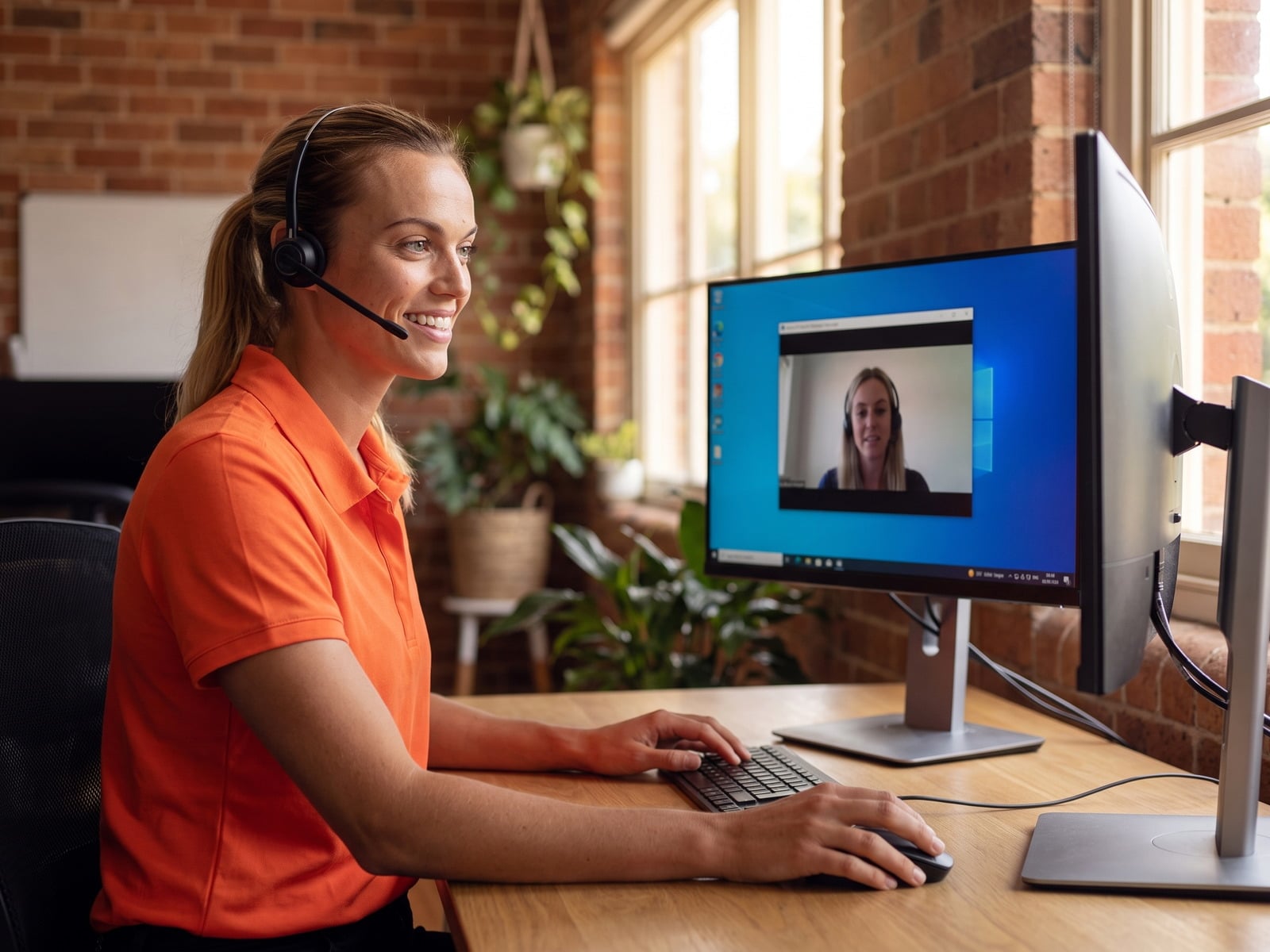
Same-day remote IT support from a real Brisbane technician. We securely screen-share to your PC or Mac and fix viruses, slow computers, email problems, Windows errors and printer setup while you watch — no waiting for a house call, no driving across Brisbane traffic. Available 7 days, 7am–8pm AEST.
Book Remote IT Support — Brisbane
Connect with a Brisbane-based technician in minutes — no travel, no waiting
Need help right now?
1300 600 004Geeks Brisbane is a local IT support company based at Brisbane City. Our remote computer support service uses encrypted screen-sharing so a real Australian technician can take over your PC or Mac, diagnose the problem, and fix it on the spot — usually faster and cheaper than an onsite visit. Whether you're a homeowner in Bulimba whose Outlook stopped sending email, a retiree in Chermside trying to clean up a virus warning, or a small business owner in Milton who needs a new printer driver installed across five computers, remote support gets a qualified tech onto your screen in minutes. For ongoing cover, see our business IT support in Brisbane.
This page covers exactly what we do remotely, what it costs, the tools we use, how the security works, and when remote support is the right choice versus an onsite visit. If you'd rather just talk to someone, call 1300 600 004 — we answer 7 days.
How Remote Support Works
Four simple steps. No software to install in advance, no technical knowledge required, and you stay in control of your screen the whole time.
Book & Pay Online
Pick a time slot above or call 1300 600 004. Pay securely up front — you'll get a confirmation email with the session details.
Download Our Tool
Click the link we email you to download a small, one-time connection tool (ConnectWise ScreenConnect or RustDesk). It takes 30 seconds and no install permission is needed.
We Connect Securely
You give us a one-time 6-digit code. Our Brisbane technician connects to your screen — you watch every click. Disconnect anytime with one button.
Problem Solved
We fix the issue, explain what we did in plain English, and disconnect. The connection tool removes itself automatically when the session ends.
What We Fix on a Remote Session
Around 70% of the computer problems we see at Geeks Brisbane can be fixed remotely. Here are the categories we handle every day.
Virus & Malware Removal
Remove viruses, ransomware, spyware, browser hijackers and tech-support scam pop-ups. Clean up infections, repair browsers, install proper antivirus. Remote virus removal guide →
Slow Computer & Speed-Up
Diagnose why your PC or Mac is slow. Remove bloatware, fix startup programs, free disk space, disable background processes, schedule disk maintenance. Speed-up walkthrough →
Email & Outlook Problems
Fix Outlook crashes, BigPond / Optus / Telstra email setup, IMAP/POP3 settings, calendar sync, password loops, and "send-receive error" issues. Outlook fix guide →
Software Install & Updates
Microsoft 365, Adobe Creative Cloud, MYOB, Xero, QuickBooks, Zoom, accounting and business apps — installed, licensed, configured and verified working.
Security & Privacy Setup
Antivirus configuration, password manager setup (Bitwarden / 1Password), two-factor authentication, Microsoft / Google account recovery, scam-call lockdown.
Windows & Mac Errors
Blue screens (BSOD), Mac kernel panics, Windows update failures, "your PC ran into a problem" loops, driver conflicts and corrupted system files.
Printer & Scanner Setup
Install drivers, share a printer across the house, fix "printer offline" errors, scan-to-email, double-sided printing — Brother, HP, Canon, Epson.
Tech Help & Training
One-on-one walkthroughs — phone backup, photo organising, iCloud setup, Facebook privacy, Zoom calls, online banking safety. Perfect for seniors.
Remote Support is Ideal For
Need Physical Repairs?
Remote support can't help with hardware faults — broken screens, dead batteries, liquid damage, or a computer that won't turn on. For those, book an onsite Brisbane visit or drop into our Queen Street workshop.
Recent Brisbane Remote Sessions
A snapshot of real remote IT support jobs Geeks Brisbane technicians completed for local Brisbane customers in the last 30 days. Names are first-name only for privacy.
"Computer keeps showing a Microsoft warning to call this number"
Tech-support scam pop-up locked into Tom's browser. Cleared the malicious browser profile, removed the pinned site, ran a full Defender + Malwarebytes scan. 28 minutes, no data lost.
"My BigPond email won't send from Outlook anymore"
Margaret had a stuck password after the Telstra mail migration. Re-added the account with the new IMAP server (mail.bigpond.com) and an app password. Sent + received working before we hung up.
"All five staff PCs printing super slowly"
Print spooler service was crashing on the shared Brother. Reinstalled the right 64-bit driver on the print server, cleared the spooler queue, set short-edge stapling default. Fixed across all five PCs in one 40-minute session.
"Laptop fans running flat-out, everything frozen"
Two browser extensions were mining cryptocurrency in the background. Removed them, reset the browsers, set up uBlock Origin, walked David through avoiding the same install path again.
"Need MYOB AccountRight working on a new computer"
Installed MYOB AccountRight, migrated the company file from the old PC via OneDrive, re-linked bank feeds, set up a daily local backup. Sue was reconciling within the hour — no driving to Brisbane.
"Mum can't get into her iCloud photos"
Walked Beth's mum through an Apple ID password reset on screen-share, recovered the photo library, set up iCloud Photos backup properly, and added trusted phone numbers so it doesn't happen again.
Remote Support Pricing — Brisbane
Transparent up-front pricing. No surprises — you'll always know the cost before we start. All prices in AUD, including GST. Session minimum 30 minutes — most jobs finish in one session.
| Service | Typical session length | Price (AUD inc GST) |
|---|---|---|
| Quick fix / single issue (email, printer, password) | 30 minutes | $99 |
| Standard remote session (most virus removal, slow PC, Outlook) | up to 1 hour | $149 |
| Extended remote session (multiple issues, deep clean-up) | up to 2 hours | $249 |
| Tech help / one-on-one training (seniors welcome) | up to 1 hour | $129 |
| Small business remote support — pay as you go | per hour | $165 / hr |
| Small business managed remote helpdesk | monthly retainer | from $390 / mo |
Same-day and after-hours sessions available where a technician is free. Call 1300 600 004 for an exact quote, or see our full remote support cost guide.
Connection Tools & Security
We use the same enterprise-grade remote tools as banks and managed service providers. Everything is encrypted end-to-end, every session is logged, and the connection tool removes itself when the session ends.
What we can — and can't — see
✔ We can see: your screen, exactly as you see it, while the session is running. We can move the mouse, type, install software, and open files only if you've granted permission.
✘ We cannot see: anything before the session started, anything after we disconnect, your webcam, your microphone, or files on devices that aren't on screen. We do not store passwords, and we never request banking logins.
You control: the session ends the instant you click "Disconnect" or close the connection tool. You can also lock the mouse so we can only watch, not type. We'll always pause and ask before doing anything that changes settings.
Remote vs Onsite IT Support — When to Choose Which
Not every Brisbane computer problem is suited to remote support. Here's how we decide, so you don't waste time or money.
| Situation | Remote | Onsite (Brisbane) | Why |
|---|---|---|---|
| Virus / malware / scam pop-up | Yes | Optional | Remote tools can scan and clean as effectively as on-site, faster. |
| Slow computer / clean-up | Yes | Optional | All software-side, remote is cheaper and just as thorough. |
| Email / Outlook / Office 365 issues | Yes | No | 100% software-side. Remote is almost always faster. |
| New software install / migration | Yes | Optional | Remote works unless physical media or BIOS access is needed. |
| Wi-Fi / NBN dropouts | Partial | Yes | We can check settings remotely, but physical router/cabling needs hands. |
| Broken screen / liquid damage / dead PC | No | Yes | Hardware. Book a Brisbane onsite repair or workshop drop-off. |
| New PC / printer setup | Yes | Optional | If you can plug it in and connect to Wi-Fi, we can do the rest remotely. |
| Data recovery from a dead drive | No | Yes | Physical recovery. See our data recovery service. |
| One-on-one tech training (seniors) | Yes | Optional | Many seniors prefer onsite, but remote works brilliantly with a phone call alongside. |
Why Choose Geeks Brisbane for Remote Support
Local Brisbane Techs
Australian technicians based in Brisbane CBD. No offshore call centres, no scripts.
5-Minute Connect
Most sessions start within 5–15 minutes of booking. No same-week-only nonsense.
Watch Everything
You see every click. Pause the session anytime. No background access.
Bank-Level Security
AES-256 encrypted sessions. One-time codes. Tool self-removes when done.
No Fix, No Fee
No surprises — you'll always know the cost before we start. Simple.
Plain-English Techs
We explain what's wrong and what we're doing in plain English — no jargon, no patronising.
Areas We Cover — Remote & Australia-Wide
Our remote IT support service works anywhere with an internet connection. We're Brisbane-based and most of our customers are in South-East Queensland, but we regularly help customers across Australia who want a local-feeling support team without the call-centre run-around.
Brisbane Metro
- Brisbane CBD
- South Brisbane
- Carindale & Mt Gravatt
- Chermside & North Brisbane
- Indooroopilly & western suburbs
- Wynnum & bayside
South-East QLD
Regional QLD
- Toowoomba
- Cairns & Far North QLD
- Townsville
- Mackay
- Rockhampton
- Bundaberg & Hervey Bay
Interstate
- Sydney & NSW
- Melbourne & VIC
- Perth & WA
- Adelaide & SA
- Canberra ACT
- Tasmania & NT
What Brisbane customers say about remote support
Verified Google reviews from customers we helped remotely.
Leanne Fogarty
Service call was answered earlier then booked, Harsha was very polite and troubleshooted until she got a result. I am rural and remote so to be able to get this service on a Sunday was very helpful.
Graham Cox
Fantastic service they fixed my issues by remote after 5 and that worked in well with what i needed done , easy to deal with and really know what they are doing . I would recommend to anyone. Graham
Kerryanne Farrer
Excellent service! So easy to use the remote service and very convenient to be able to book a time on the weekend. Harry was really patient and knowledgeable. All done within an hour. Very happy with this find. Will book Geeks Brsbane again!
Trish Barnes-Brunet
Harry gave the best online service. Removed all the stress. Great service and reasonable price. Will definitely use Geeks Brisbane again.
E Mark Bell
Came out over the Easter weekend and quickly identified the problem and fixed it. Even before Harry arrived he realized it was a problem that needed to be fixed on site, so saved me the remote booking that I had made. Will definitely use Geeks again if I have a problem.
Same-Day Remote IT Support
Most of our remote support sessions for Brisbane customers happen the same day they call. If you book a slot before 5pm AEST, there's an 85%+ chance a technician will be on your screen within the hour. After-hours support is available until 8pm seven days. Saturday and Sunday are surprisingly quiet for us, which means faster connect times if you can wait until the weekend for a non-urgent fix.
If you've got a true emergency — ransomware, locked-out scam pop-up, a small business that can't send invoices — call 1300 600 004 rather than going through the online booking form. The phone goes straight to a Brisbane technician (or, after-hours, a senior on-call tech) who can usually start a remote session within 5–10 minutes.
More on same-day remote support timing →
Remote Support FAQs
About Our Remote IT Support Service
Geeks Brisbane is the trading name of IT Cybersec Pty Ltd (ABN 65 676 034 110), an Australian-owned IT services company based in the Brisbane CBD. We've been providing local computer repair, onsite IT support and remote computer support to homes and small businesses across South-East Queensland for years, and we run remote support sessions every single day of the week.
Remote support is our fastest and most cost-effective service. It lets us help you in minutes rather than hours — no waiting for a technician to drive across Brisbane, no scheduling around peak-hour traffic on the Story Bridge, no geographic limits. Whether you're in Brisbane CBD trying to fix Outlook before a meeting, in Toowoomba dealing with a slow laptop, in Cairns with a virus on the family computer, or even interstate — if you have a working internet connection, we can help.
For the ~30% of problems that genuinely need hands-on work (cracked screens, dead drives, liquid damage, computers that won't power on), we'll be upfront about it inside the first ten minutes, and either book you an onsite repair visit in Brisbane metro, or arrange a workshop drop-off at our Queen Street office.
IT Cybersec Pty Ltd (ABN: 65 676 034 110)
Brisbane City QLD 4000
Remote support available 7 days, 7am–8pm AEST · Australia-wide
1300 600 004
Related Reading
More from the Geeks Brisbane team on getting the most out of remote IT support.