
WiFi Not Working?
Brisbane's WiFi & Network Installers
Dead spots, slow NBN, constant dropouts? Our Brisbane technicians install and support home and office networks — mesh WiFi setup, router optimisation, NBN and 5G — with same-day appointments across Brisbane.
4.9 from 223 Google reviews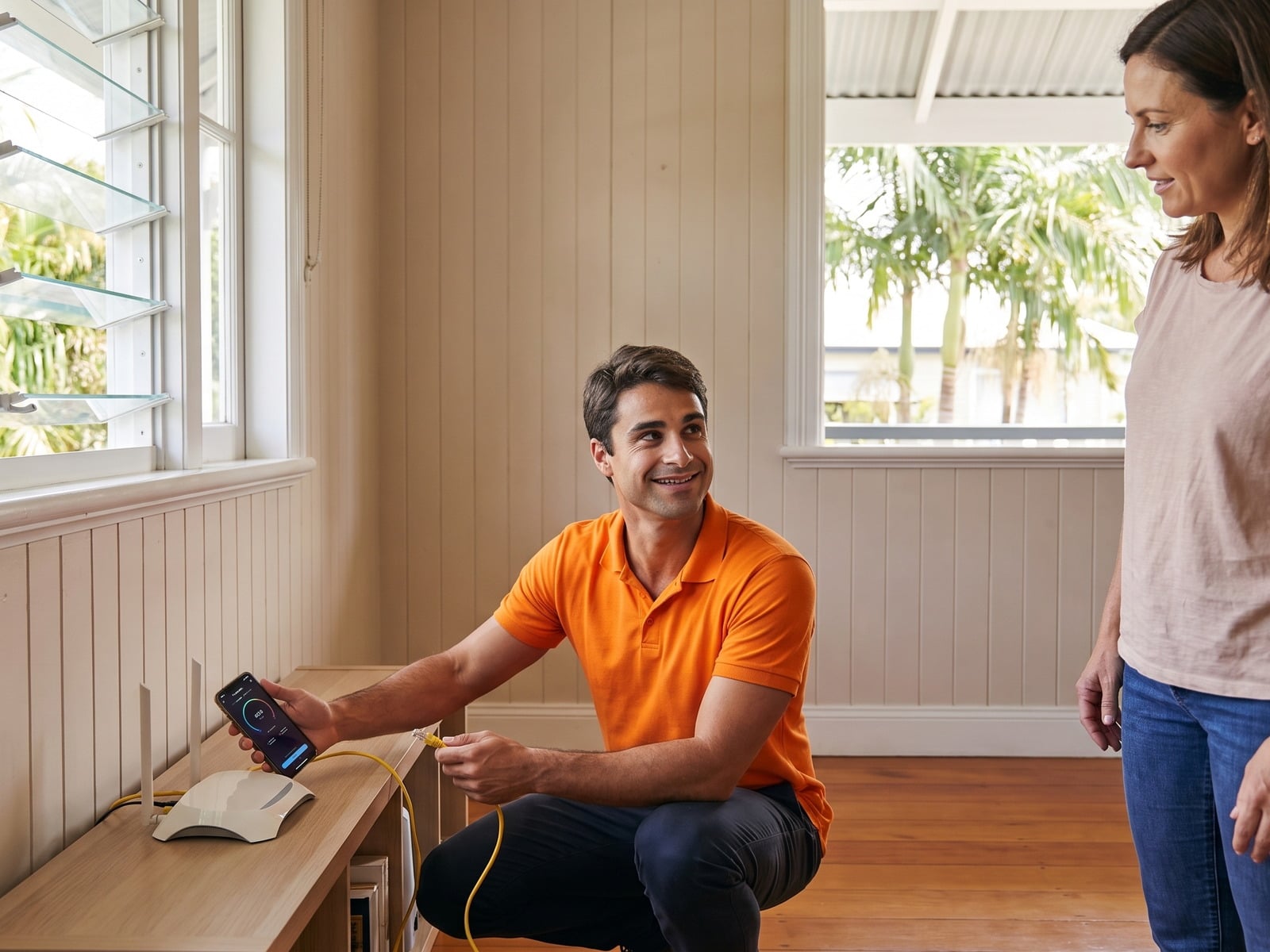
Sound Familiar?
These are the WiFi and network problems we solve every day
Our WiFi & Network Services
From quick fixes to complete home and office network installations
WiFi Network Assessment
We test signal strength in every room, identify dead spots, check for interference, and diagnose why your WiFi isn't performing.
Mesh WiFi Installation
We install and configure mesh systems (Google Nest, TP-Link Deco, ASUS ZenWiFi, Netgear Orbi) for seamless whole-home coverage with no dead spots.
Router & NBN Optimisation
We configure your existing router for better performance — optimal channel selection, QoS settings, security hardening, and firmware updates.
WiFi Extender Installation
Strategic placement and configuration of WiFi extenders or access points to eliminate dead spots without a full mesh system.
Ethernet & Wired Network
For the fastest, most reliable connection, we install ethernet cables to home offices, gaming setups, and smart TV locations.
Office & Business Networks
Professional-grade network support for Brisbane offices and shops — guest networks, VLANs, and proper coverage for staff and customers.
5G Home Internet Setup — an NBN Alternative
Frustrated with slow NBN? 5G home internet is now available in many Brisbane suburbs and can be faster than NBN in some areas. We help you:
- Check 5G coverage at your Brisbane address
- Set up Optus 5G or Telstra 5G devices
- Find the optimal placement for the best signal
- Connect all your devices to the new network
Mesh WiFi vs WiFi Extenders — What's the Difference?
Not sure which solution is right for your home? Here's the simple breakdown:
WiFi Extenders rebroadcast your existing signal. They're cheaper but often create a separate network and can reduce speeds.
Mesh WiFi Systems create one seamless network across your entire home. You move room to room without dropouts, and speeds stay consistent.
We help you choose the right solution based on your home size, budget, and needs.
Mesh WiFi Brands We Install
We're brand-independent and recommend the best system for your home — not whatever has the biggest margin.
Google Nest WiFi
Simple setup, great app, built-in smart speaker option. Ideal for smaller homes.
TP-Link Deco
Excellent value. WiFi 6 support, strong parental controls. Best bang for buck.
ASUS ZenWiFi
WiFi 6E tri-band powerhouse. Best for gamers, streamers, and heavy users.
Netgear Orbi
Dedicated backhaul channel for maximum speed. Great for large homes and offices.
Ubiquiti UniFi
Enterprise-grade reliability. Perfect for businesses and tech-savvy homes wanting full control.
WiFi for Brisbane Homes
Brisbane's housing stock creates unique WiFi challenges. Queenslanders, split-levels, and concrete construction all need a targeted approach.
Queenslander Homes
Elevated timber construction with rooms spread across a single level. We place nodes to cover the full footprint — including under the house if you use it as living space.
Multi-Storey Homes
Signals struggle between floors. We place nodes on each level with optimal positioning to maintain speed from ground floor to top storey.
Large Blocks & Acreage
Brisbane properties can be sprawling. We use outdoor-rated mesh nodes or extended setups to cover sheds, pools, and granny flats.
Concrete & Steel Construction
Modern units and townhouses with thick walls kill WiFi signals. Mesh nodes placed strategically in each room overcome these barriers.
How We Fix Your WiFi
A simple process from diagnosis to full coverage
Assessment
We test signal strength and speed in every room of your home
Diagnosis
Identify the cause — router issues, interference, or coverage gaps
Solution
Recommend the best fix for your home and budget
Setup & Test
Install, configure, and test every room before we leave
What Brisbane customers say about WiFi & network setup
Verified Google reviews from customers whose WiFi we fixed.
john leach
Vinnie from Greeks is an excellent technician. He fixed my internet and Bigpond issues professionally and with apparent ease. Vinnie was on time, he talked me through what he was doing to my phone and laptop and make sure I was completely satisfied before he left. Definitely my go to person for all Teck issues - worth the money for peace of mind.
Zygmunt Marycha
Perfect service, I bought a new ASUS router, a few people tried to help me to install it with TPG provider but failed, finally Geeks solved the problem, very happy.
Lily Youl
Excellent service and response! Same day service. I switched internet service providers and had no internet service in the transition. There was a glitch between my new and old provider. Geeks Brisbane were incredible. They stayed until my new service was tested on all devices - tvs, tablets, phones, sound system and security systems. All is working and our internet is better than ever. Highly recommend Geeks Brisbane.
Vasant Bhindi
Chungdu did a fantastic job in fixing my NBN problem. An amiable and polite young man for whom nothing was too much bother. He was very candid about what the outcome of his work would result in and he was also very helpful in giving me advice on matters relating to getting the best results out of NBN. I was very happy with his work and I would recommend him to anyone having any issues with their internet.
Stephanie Attard
Excellent customer service and most importantly resolved our substandard internet service with another provider
WiFi & Network Setup Pricing
Transparent pricing with no hidden fees
WiFi Assessment
- Full home WiFi signal testing
- Speed test in every room
- Identify dead spots & interference
- Written recommendations
- Rebated against the fix
Router & NBN Optimisation
- Full WiFi assessment included
- Optimal channel configuration
- Router repositioning if needed
- Firmware updates
- Security hardening
- Device priority (QoS) setup
Mesh WiFi Installation
- Full WiFi assessment included
- Mesh system installation
- Optimal node placement
- All devices reconnected
- App walkthrough
- 30-day support included
Remote support is $125/hr where the issue can be fixed without a visit. Business and office networks are quoted after a site assessment.
WiFi & Network FAQs
Common questions about WiFi problems and solutions
Slow WiFi can be caused by several factors: router placement (too far away or blocked by walls), interference from other devices or neighbour networks, outdated router firmware, too many connected devices, or using the wrong WiFi channel. Our technicians can diagnose the exact cause and fix it.
WiFi extenders rebroadcast your existing signal — they're cheaper but often create a separate network name and can reduce speeds by 50%. Mesh WiFi systems create a single seamless network with multiple access points, providing consistent speeds and automatic device handoff as you move around your home. For larger homes, mesh is usually the better investment.
Onsite WiFi assessment, router optimisation, and mesh installation are $205, plus equipment for mesh installs. Remote support is $125/hr where the problem can be fixed without a visit. Office and business networks are quoted after a site assessment. We provide upfront pricing before any work begins — no surprises.
As a general guide: 2 nodes cover up to 150m² (typical apartment or small home), 3 nodes cover up to 300m² (standard 3-4 bedroom home), and 4 or more for homes over 300m² or multi-storey layouts. Wall materials matter too — concrete and steel need nodes closer together than timber-framed Queenslanders.
Yes, mesh WiFi works with all NBN connection types — FTTP, FTTC, FTTN, HFC, and Fixed Wireless. We connect the primary mesh node to your NBN modem and position satellite nodes throughout your home.
Mesh WiFi won't increase the speed of your NBN plan, but it will dramatically improve the speed you actually experience in far-away rooms. If you're currently getting 20Mbps in your bedroom on a 100Mbps plan, mesh can bring that back up to 80-100Mbps.
Yes. We can configure your new mesh system with the same network name (SSID) and password as your current WiFi. All your devices will reconnect automatically without needing to update settings on each one.
Yes — dead spots are one of the most common issues we fix. Solutions include repositioning your router to a central location, installing a WiFi extender or access point, setting up a mesh WiFi system, or running ethernet cables to problem areas. We'll recommend the most cost-effective solution for your situation.
Yes, we work with all ISP-provided modems and routers including Telstra Smart Modem, Optus, TPG, Aussie Broadband, and others. We can optimise your existing equipment or recommend upgrades if your current hardware is the bottleneck.
A typical WiFi assessment and router optimisation takes 1-2 hours. Mesh WiFi installation usually takes 60-90 minutes for a standard home, longer for larger or multi-storey properties. We test every room before we leave to ensure full coverage.
WiFi & Network Setup Across Brisbane
We install and support home and office networks across all Brisbane suburbs and surrounding regions.
Related: Business IT Support | Computer & Device Setup | Network & Internet Security | Computer Repairs | Why choose us | Smart TV Setup | Digital Security Check
Ready to Fix Your WiFi?
Book a same-day WiFi assessment with a local Brisbane technician.
1300 600 004Book Your WiFi Assessment
Same-day and next-day appointments available across Brisbane